New Order exports your accountant will actually accept

Run your restaurant on numbers, not guesswork.

Eatabill is a fast cashier and a management dashboard in one. Take orders in seconds, keep selling when the internet drops, and know exactly what today made — before the day is over.

Works on the hardware you already have Keeps selling offline Arabic & English
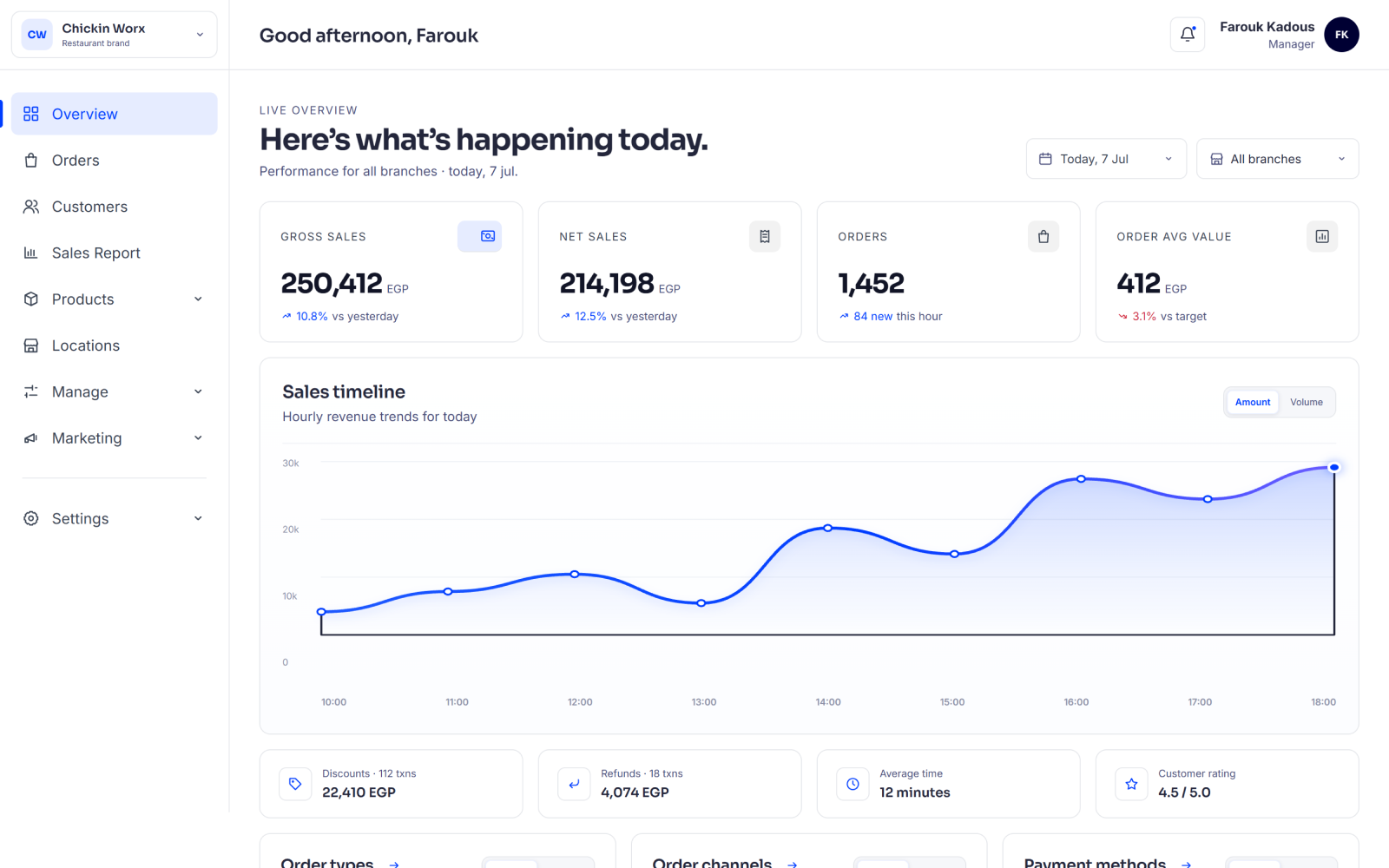
Eatabill management dashboard
Today's sales EGP 84,120 12% vs last Tuesday
Terminals 4 online · all synced
First Eatabill partner site
Our first partner
“We used to find out how the day went the next afternoon. Now I know before I get home.”

Farouk Kadous
Owner · Chickin Worx, Cairo · running Eatabill since Month 2026

We take on a small number of restaurants at a time, on purpose.

Why Eatabill

Three things a restaurant system has to get right.

Most of them get one. Eatabill was built by people who watched the queue at 9pm, closed the till at 2am, and then tried to explain the numbers to an accountant.

A cashier that keeps up

Search the whole menu, add modifiers, split the payment, close the bill. Your busiest hour should not be your slowest software.

A dashboard that answers

Sales against target, average ticket, busy hours, discounts, refunds — compared to the same day last week, not to a number you can't place.

It never stops selling

Internet down? The terminal keeps taking orders and printing, then syncs everything the moment the line comes back. Nothing is lost.

The cashier

Ring it up before they finish ordering.

A touch layout your team learns in one shift: categories on the left, search across the whole menu, one tap to a bill.
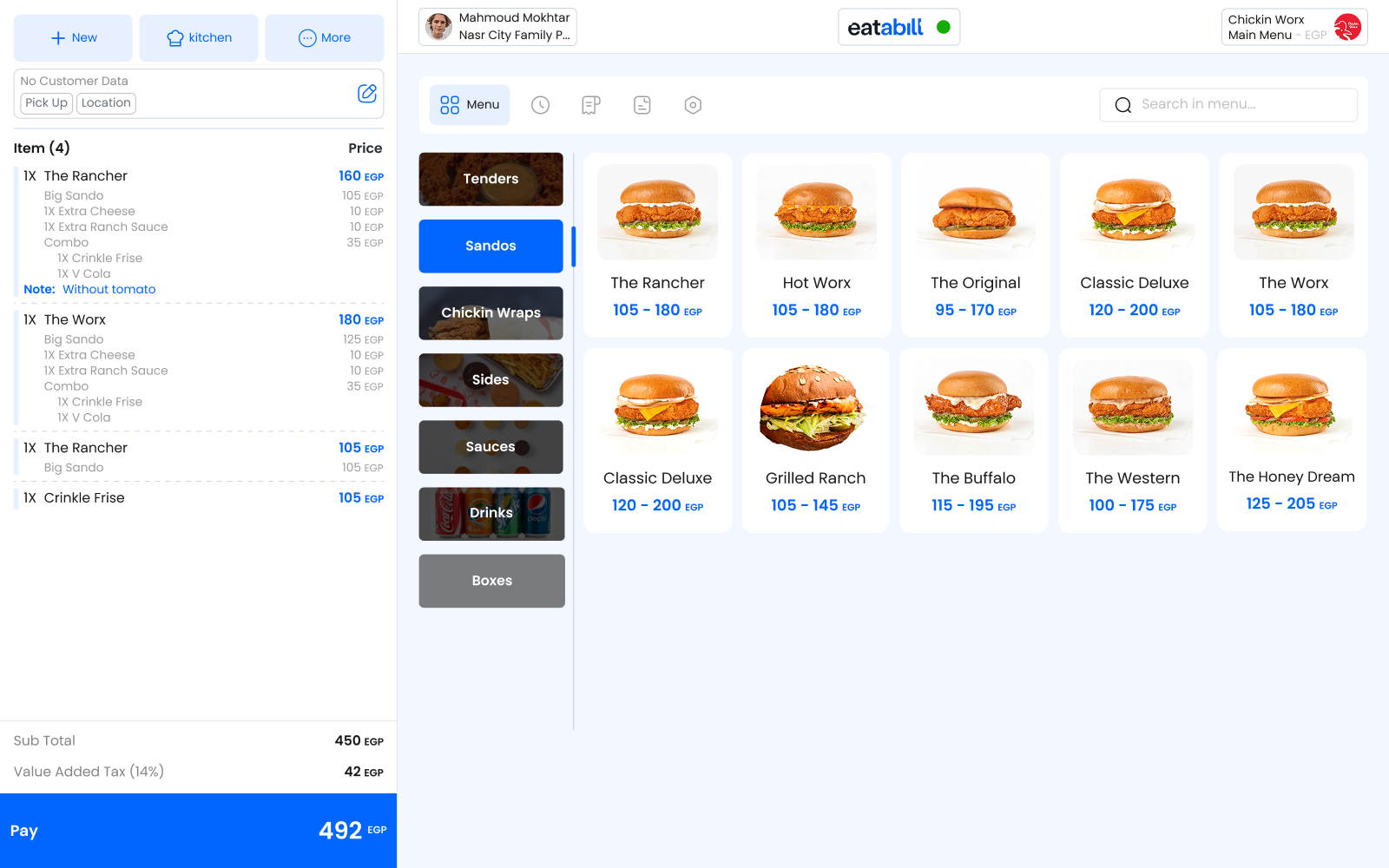
  • Search everything. Type two letters, get the item — no hunting through pages.
  • Modifiers and notes on any line, so the kitchen gets it right the first time.
  • Split and partial payments — cash, card, wallet, or a mix, on one bill.
  • Mark an item sold out once and it disappears from every terminal instantly.
Eatabill POS cashier screen
The dashboard

Know your day before it ends.

Open it on your phone in the car. Sales so far, against target, against the same day last week — and the two or three things that moved.
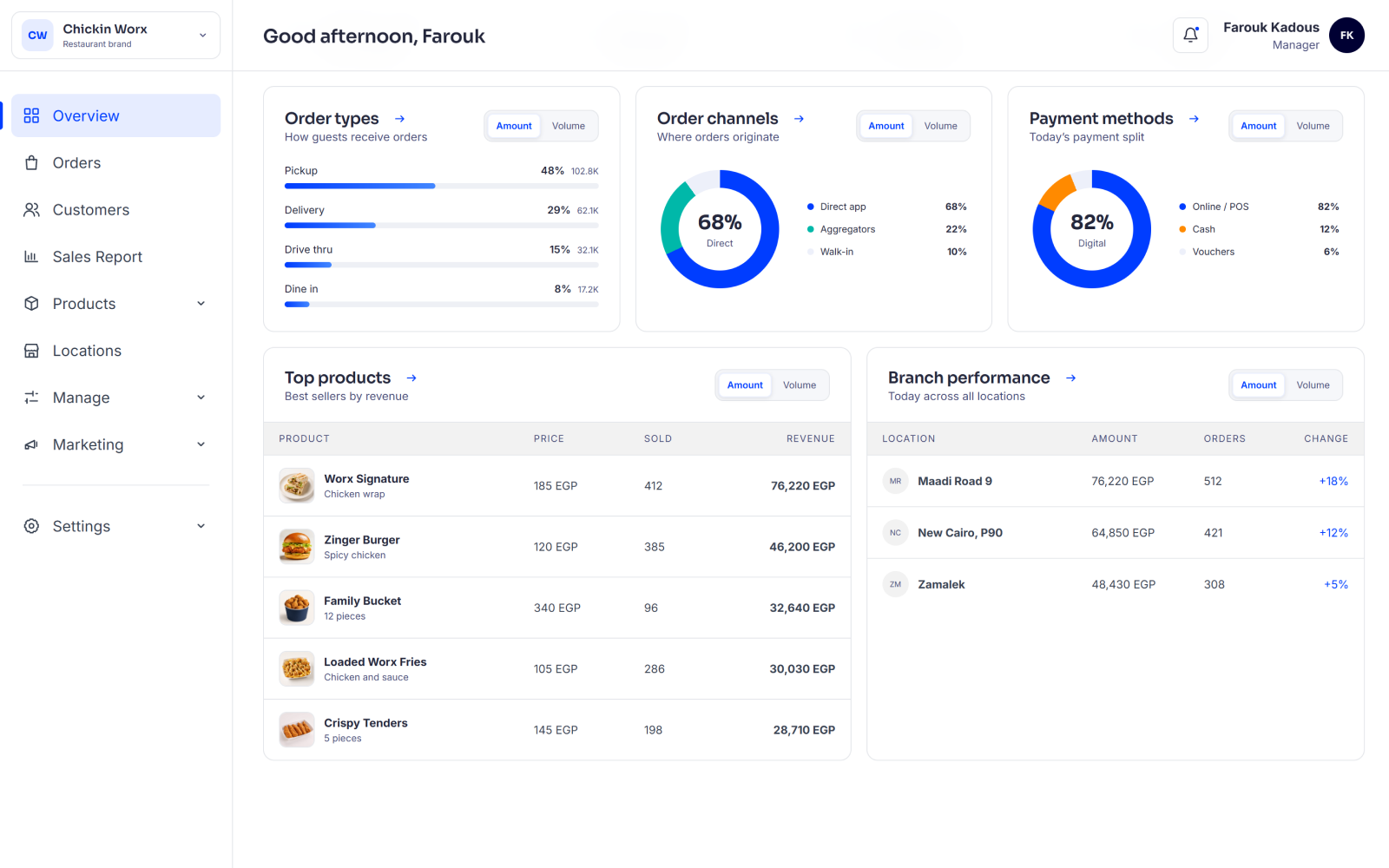
  • Hourly heatmaps that show you which hours are actually paying the rent.
  • Discounts and refunds in plain sight — every one, with who approved it.
  • Channel mix — dine-in, takeaway, delivery — so you price each one honestly.
  • Targets and scorecards per branch, so “good month” stops being an opinion.
Eatabill branch performance dashboard
Reports & exports

Hand your accountant a file, not a headache.

Two exports cover almost every request you will ever get: a clean end-of-day summary, and the raw orders behind it.
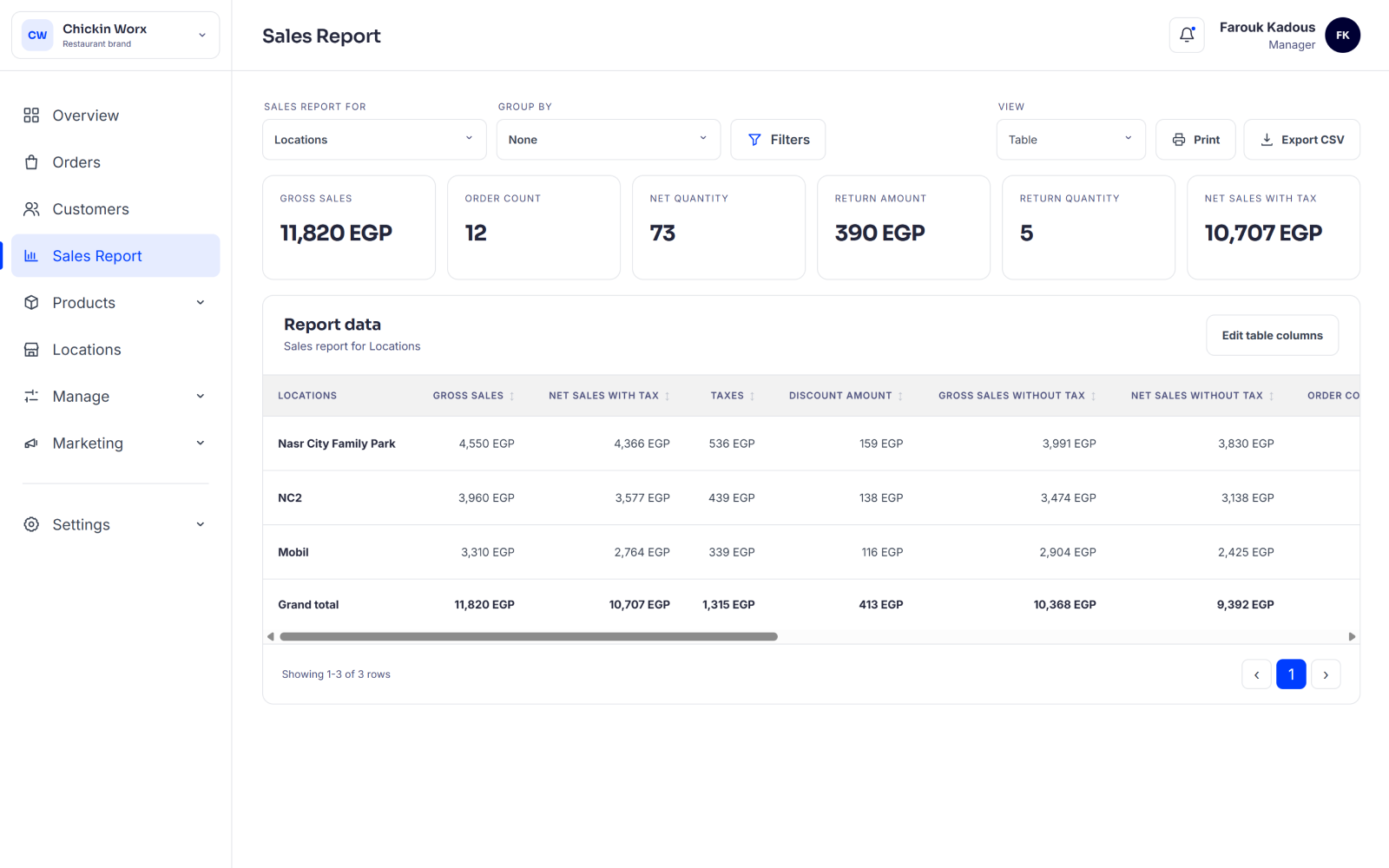
  • Pick any date range — not just whole days, not just this month.
  • Count by when it was paid or when it was opened — the late-night bill lands where you expect it.
  • Customer columns stay locked behind their own permission. Not everyone who can export data can export people.
Eatabill order export report
Grows with you

Open your second branch without changing your system.

Most restaurant software makes you start over the moment you grow. Eatabill was designed the other way round — one branch and ten branches are the same product, configured differently.

01

Every branch, one view

Compare branches on the same terms — sales against their own target, average ticket, refunds, speed. Ranked, not just listed.

02

Different prices, same menu

The mall branch can charge more than the street branch without you maintaining two menus — and you get a variance report so nothing drifts quietly.

03

More than one brand

Running two concepts from one kitchen, or a counter inside a food hall? One terminal handles both, and every line on the bill knows which brand it belongs to.

Getting started

From first call to first bill.

You do not set this up alone. We do the boring part.

1

Send us your menu

A photo, a PDF, an old export — whatever you have. We build the categories, items, and modifiers for you.

2

We set the rules

Taxes, service charge, discount limits, and who is allowed to do what. Once, properly, so you are not fixing it every week.

3

You open tomorrow

We train the team on the floor, stay with you through the first busy service, and stay reachable after it.

Everything else

The details that decide whether a system survives service.

Roles & permissions Decide exactly who can discount, refund, export, or see the numbers.
Taxes & service charge Set as policy, applied the same way on every bill, recorded as it was on the day.
Promotions & discounts Run the offer, then see honestly whether it made money or just made noise.
Kitchen tickets Route orders to the right station, printed the way that station works.
Trading hours per branch Different hours, a mid-service pause, Ramadan timings — all settings, not phone calls.
Full audit trail Every void, refund, and price change is stamped with a name and a time.
Questions

The things owners ask us first.

Do I need to buy new hardware?
Usually not.
What actually happens when the internet goes down?
The terminal keeps working.
I only have one branch. Is this too much system for me?
No.
Can my accountant get the raw data?
Yes.
Is it in Arabic?
Yes.
How long does setup take?
A day or two.

Let's look at your menu together.

Send us a message on WhatsApp. We will set Eatabill up on your real menu and show you your own numbers — no slides, no commitment.

WhatsApp